The images a clothing product page needs
| Image | Purpose | How to make it |
|---|---|---|
| Main image | Shows the product clearly in grids and marketplaces | Flat lay, hanger or ghost mannequin on white, or a studio product image from AI |
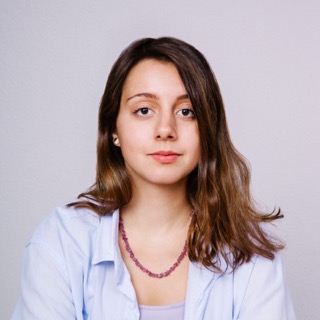
| Worn images, two or three | Show length, fit and how the fabric falls | Model shoot, or on-model photos from AI |
| Back view | Shows designs and details on the back | Same method as the main image |
| Detail shots | Show fabric, print, trims and labels | Close-ups taken at home |
| Video, optional | Shows movement | Short product video, for example with AI Videos |
Not every product needs every image. A basic tee needs fewer images than a structured coat. But the main image and at least one worn image make the biggest difference for most clothing.
With a model or without
Clothing photography with a model shows fit and style best, and it is the most expensive part: model, photographer, styling and studio time. Clothing photography without a model covers flat lays, hangers and ghost mannequin images, which are cheaper and more consistent but do not show the garment on a body.
AI changes the trade off. With Wizia AI Studio you photograph the garment without a model, upload the photo and get on-model photos and studio product images back, at 1 credit per 2K image. Our page on on-model photography explains the styles in more detail.
Articles in this guide
- How to photograph clothes at home: setup, light, angles per garment type and ideas, without a studio.
- Clothes photography on a white background: how to get clean white backgrounds that look white, not grey.
- Ghost mannequin vs flat lay vs on-model: what each style shows, what it takes and how to combine them.
- Product photography with a phone: camera settings, light and angles for store ready phone photos.
- Product photography equipment: what a small store really needs, and where AI takes over.
- Product photography tips: fifteen tips from planning to publishing.
- Flat lay photography: the basic technique for clothing.
- Ghost mannequin: what the invisible mannequin style is and when to use it.
- Product photo backgrounds: which background to use where.
For costs and alternatives to a shoot, see our separate photoshoot alternatives guide.
What it costs to add AI to your workflow
Shooting the product images yourself costs time. Turning them into on-model photos with Wizia costs credits: a 2K image costs 1 credit and a 4K image costs 2 credits. The Free plan includes 20 one-time credits to test on your own garments, and its images carry a watermark. Starter costs €20 a month and includes 150 credits. Pro, the plan we recommend for stores that publish every week, costs €98 a month and includes 750 credits. The pricing page lists every plan.